
AI plan check for architects
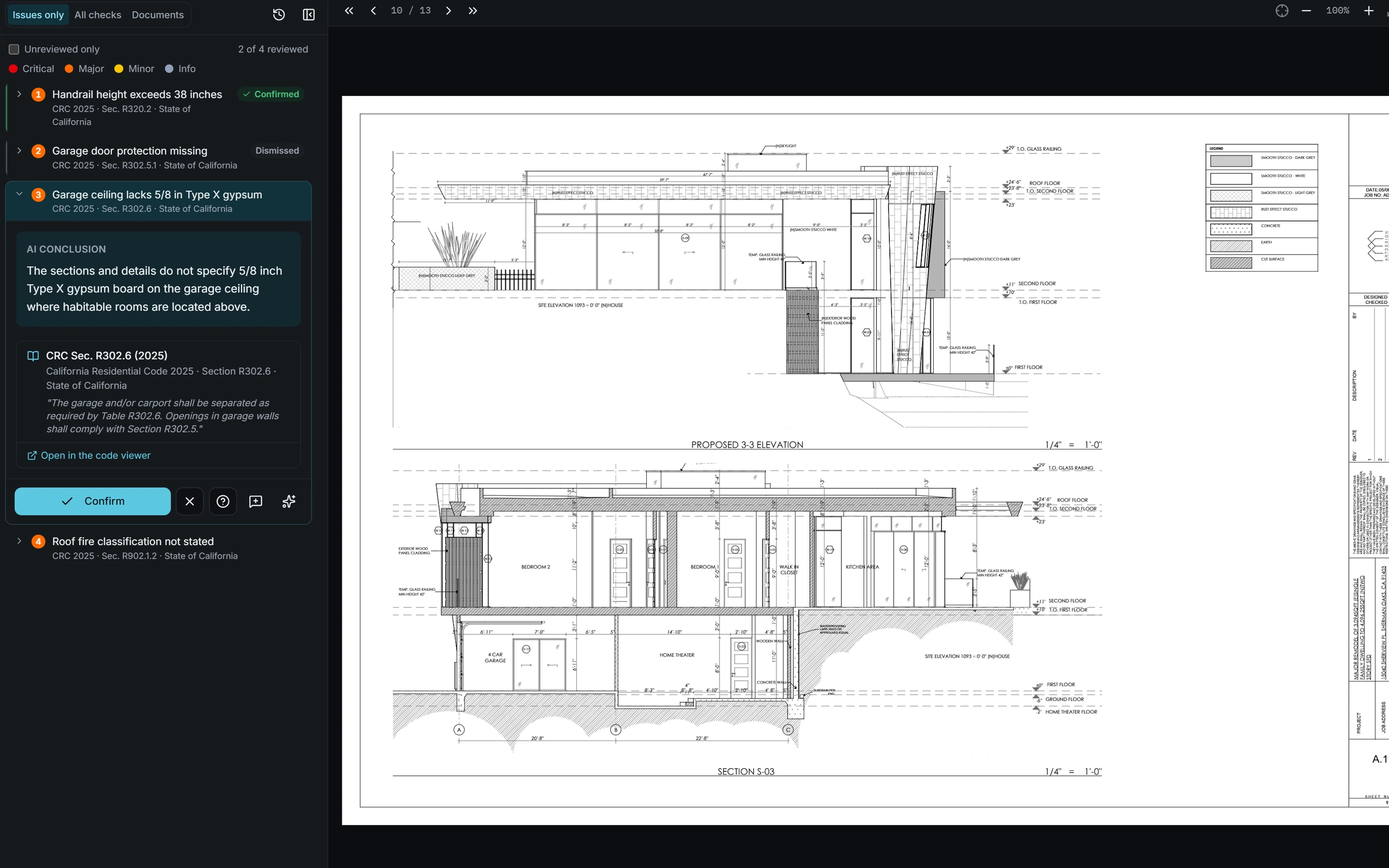
Architects use AI Plan Checker to check drawings against zoning and building codes on every design iteration, not just before submittal. Findings are pinned to the sheet with the code section, so the city's comments stop being a surprise and correction cycles get shorter.
What AI Plan Checker does for architects
Catch it in-house
Find the FAR overage or the short corridor while it's a redline, not a resubmittal.
Check as you design
Run a check after each round of client changes and know the set is still compliant.
Assign with context
Send each finding to the person who'll fix it, with the code section and the location on the sheet attached.
Show your client the work
Export a report that shows what was checked and what was resolved before submittal.
Part of Pre-Submittal Review
For architects, engineers, developers and permit expediters
Pre-submittal review means checking a permit set against the jurisdiction's zoning and building codes before it goes to the city. AI Plan Checker does it in under 2 minutes and pins every finding to the sheet with its code section, so issues get fixed in your office instead of showing up in a correction letter.
Explore pre-submittal reviewQuestions from architects
When in the design process should architects run a check?
As early as schematic design and after every significant change. At under two minutes and $99 a check, it's practical to check each iteration instead of only the final set.
Does AI Plan Checker read our drawing PDFs as they are?
Yes. Upload the PDFs you'd submit. Sheet types such as site plans, floor plans, elevations and details are detected automatically.
Who is responsible for the final design?
The architect of record. AI Plan Checker is a review tool that helps you find issues; it doesn't replace professional judgment or the city's approval.
Other teams using AI Plan Checker
- EngineersVerify your sheets against the code before stamping.
- DevelopersProtect the schedule from correction cycles.
- Permit expeditersSubmit sets that clear intake the first time.
- Code consultantsLet the routine checks run; keep the judgment calls.
- MunicipalitiesGive plan checkers a consistent first pass.