
Pre-submittal plan review, done in minutes
Pre-submittal review means checking a permit set against the jurisdiction's zoning and building codes before it goes to the city. AI Plan Checker does it in under 2 minutes and pins every finding to the sheet with its code section, so issues get fixed in your office instead of showing up in a correction letter.
For architects, engineers, developers and permit expediters
Why check before you submit
Fewer correction cycles
Every comment the city doesn't write is a resubmittal you don't make. Catch zoning and building code issues while they're still cheap to fix.
Check every iteration
At under two minutes a check, you can run one after each design change, not just on the final set the week before submittal.
Findings your team can act on
Each finding names the code section, the value measured on your sheet and the value required, so whoever fixes it knows exactly what to change.
A record of the work
Export a report and annotated drawings that show what was checked, what was found and how it was resolved.
How a pre-submittal check works
- 01
Create a project
Enter the address or APN and the building type. AI Plan Checker selects the jurisdiction and its codes.
- 02
Upload the set
Upload your PDFs. Sheet types are detected automatically.
- 03
Run the check
Choose the submission checklist, zoning, building code, or all three.
- 04
Fix and re-check
Assign findings, upload the revised set and compare versions until nothing critical is left.
What's in the workspace
Findings on the drawing
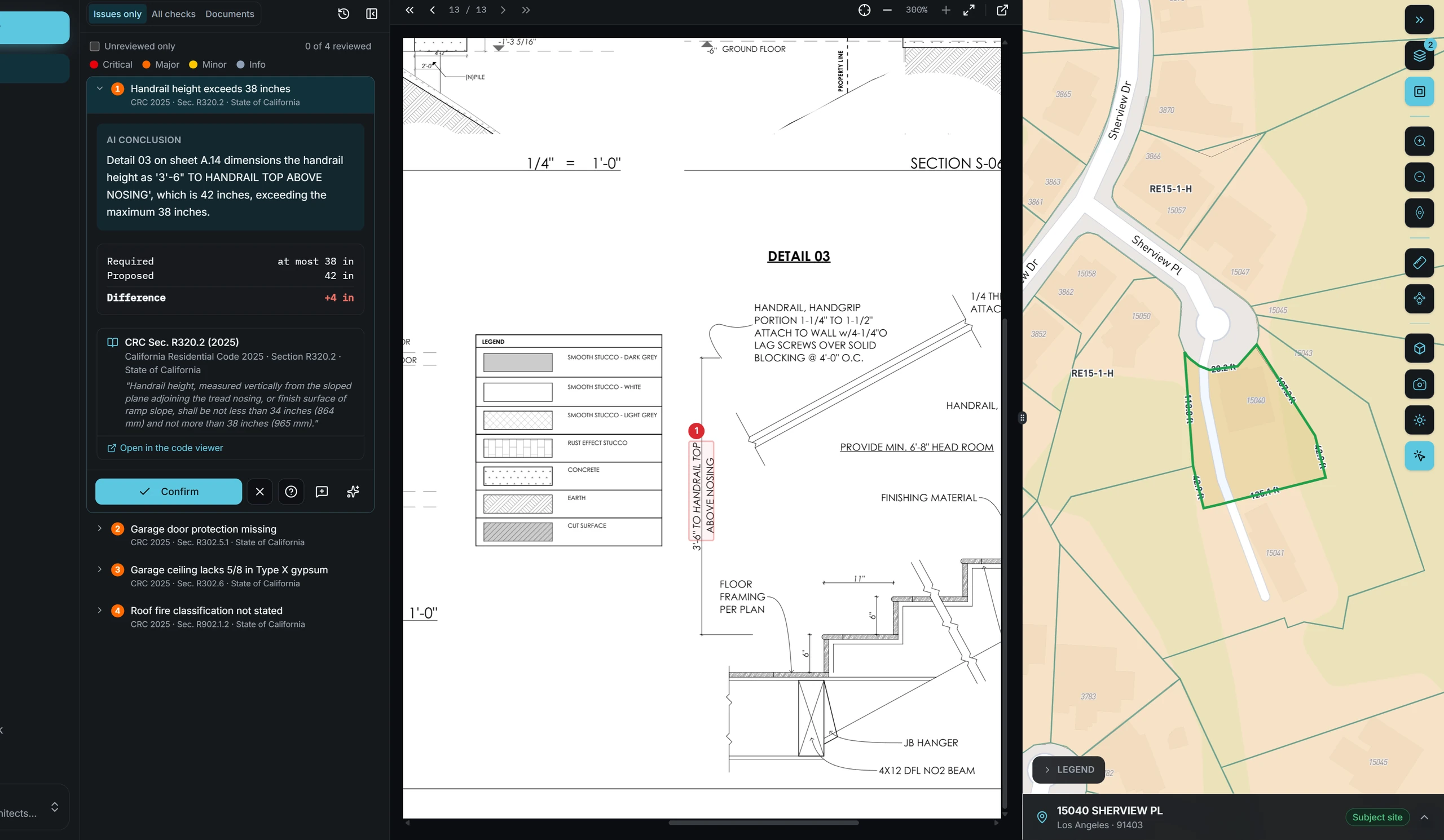
An interactive PDF viewer overlays every finding at its location on the sheet. Add your own annotations and reply in threads.
Issue tracking
Each finding has a status, severity, code reference and drawing link, and moves from open to assigned to resolved with a full audit trail.
Explanations on request
Ask about any finding. AI Plan Checker explains the code requirement in plain language and suggests a fix.
Version comparison
Upload a revised set and see which findings are resolved, which are still open and which are new.
Document management
Keep every drawing version for a project in one place, with sheet types detected on upload.
Reports and export
Export a compliance report, annotated drawings and an issue-to-sheet index for your team or for submittal.
Pricing
$99 per check, pay as you go. Firms with steady volume can get custom pricing.
Who it's for
Pre-Submittal Review: common questions
What is pre-submittal plan review?
Pre-submittal plan review is checking a permit set against the jurisdiction's zoning code, building code and submission checklist before submitting it, so issues are fixed before the city's plan check finds them.
How is AI Plan Checker different from a code consultant?
AI Plan Checker checks every applicable requirement in minutes and pins each finding to the sheet. Many teams use it alongside a code consultant: the routine checks run automatically and the consultant focuses on interpretations and edge cases.
Will AI Plan Checker guarantee my permit is approved?
No. AI Plan Checker reduces the issues the city finds, but approval is always the jurisdiction's decision, and the design professional of record remains responsible for the drawings.
How much does a pre-submittal check cost?
$99 per check. A re-check of a revised set counts as a new check.